


DevBytes-For Busy Developers
4.565.00 Reviews
App Specs
- Version
- 7.1.5
- Updated On
- License
- Free
- Downloads
- 5,000,000+
- Developer
- DevBytes: Tech, AI and Coding news
- Categories
- News & Magazines
- Platform
- Android, iOS
Screenshots
 Analysis by AppCompare
When I try a developer news app, the first few sessions are easy to enjoy: there are fresh topics to scan, and the promise of staying current feels useful. The harder test comes later, when the novelty fades and I have to decide whether opening it still earns a place in my day. That is the question I would keep in mind with DevBytes: it is a free news and magazines app from DevBytes: Tech, AI and Coding news, built around technology, coding, and AI coverage for readers who want a focused alternative to a broad general-news feed.
Why the first week feels convenient
In my first few days with a developer-focused reader, I would use it in the small gaps that otherwise disappear: while waiting for a meeting to start, over breakfast, or during a short break between tasks. The appeal is not that a quick read can replace a course or a careful technical article. It is that a focused feed can make it easier to notice subjects worth following without first sorting through unrelated headlines.
That distinction matters if your day is already crowded with chat notifications, issue trackers, and work email. A dedicated place for tech and coding news gives reading a clearer boundary. I can open it with a specific intention—see what is being discussed in AI or software development—then close it when I have found something worth exploring. That is a healthier use of a news app than treating every headline as an urgent task.
What makes the habit last
The real value of DevBytes is less about a burst of inspiration and more about whether its subject focus matches your routine. The app has a 4.6 average from around 18,000 ratings and has passed 5 million installs, which suggests that many readers have found a reason to try it. Those figures do not tell me whether every story will suit my interests, but they do make it a familiar option in the developer-news space rather than an obscure experiment.
I would treat it as a starting point for discovery, not as my only source of technical truth. A news item can point me toward a tool, a change, or a debate; before changing a production workflow or relying on a new library, I would still check the project’s own documentation and other primary sources. That two-step habit makes a feed more useful: it helps me find leads, while careful verification handles decisions where mistakes have a cost.
Keeping the app useful without turning it into homework
A practical routine is to give the app a small, repeatable slot instead of checking it whenever I have a spare second. For example, I might scan a few items after lunch and save deeper reading for a quieter time elsewhere. This keeps a news habit from becoming another source of constant interruption. If a topic is relevant to a current project, I can follow it up deliberately; if it is merely interesting, I can let it go without feeling behind.
For someone learning to code, the best use may be to collect questions rather than chase every trend. A story about AI or a programming language can reveal a term to look up, but short news reading alone will not build the practice that comes from writing and debugging code. Experienced developers can use the feed differently: as a scan for industry conversations and emerging areas, while reserving their deep work for sources that explain implementation details.
Worth Reading Before You Choose

Flipboard Shows What News Apps Must Do Beyond the Feed

Switching to Android Auto Means Rethinking Your Driving Routine

Google Calendar Makes a Crowded Week Easier to Manage

Ludo King Makes the Most of the Minutes Between Plans

Baby Panda World Brings Quick Play to Modern Phones, but Its Game Library Feels Busy

ESPN’s Live Game View Makes Following Close Games Easier
Where a focused feed can fall short
Specialization is also a trade-off. A technology-centered app naturally has less reason to help with the rest of the day’s news, so anyone who wants politics, local reporting, sports, and tech in one place may prefer a broad news reader. And even a well-curated stream can bring repetition: major AI announcements and popular tools tend to attract attention, while a niche framework or a less fashionable engineering problem may be harder to encounter. I would not mistake a busy feed for a complete picture of the field.
There is another useful boundary to keep in mind: reading about a topic can feel like progress even when it has not changed what I know how to do. I get more lasting value when I connect an item to a small action—try a concept in a side project, check a release note, or write down a question for a teammate. Without that step, quick updates can become a loop of headlines that is easy to repeat and hard to remember.
Who should make room for it
I can see this working best for developers, students, and tech-curious readers who want a subject-specific place to browse without building a reading list from scratch. It is especially suitable when your current sources are scattered across social feeds and general news, and you would rather begin with a narrower view. The app is for everyone, and its current version, 6.11.1, runs on Android 6.0 or later, so it can suit readers using older compatible Android devices as well as newer ones.
I would skip it if you rarely read technology news, need rigorous technical instruction more than discovery, or already have a dependable set of sources that covers your interests with little effort. It is also not the right substitute for official security advisories, documentation, or detailed research when accuracy and context matter more than speed. Since the app is free, trying it does not require a purchase, but the more important cost is attention: keep it only if its stories regularly lead you to something useful.
Quick Bytes, Big Impact
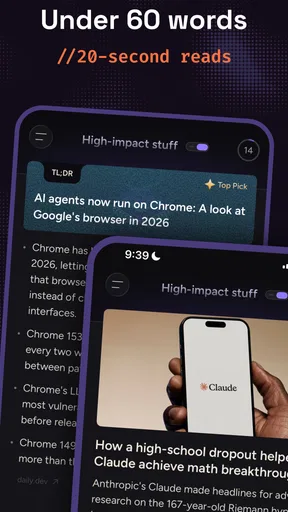
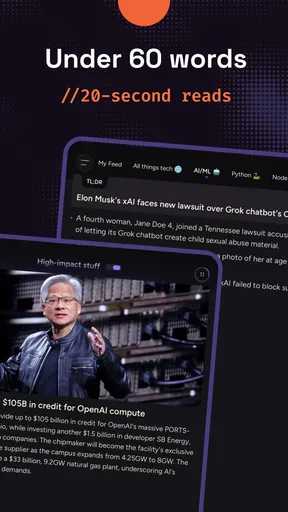
Let's get straight to it. DevBytes is all about delivering quick, digestible bits of information tailored for busy developers. When I first downloaded it, I was a bit skeptical. I mean, how much can you really learn in a few minutes, right? But let me tell you, this app is a game-changer. It’s like having a pocket-sized mentor that dishes out wisdom in perfectly sized portions.
Interface and Usability
The first thing you'll notice about DevBytes is its sleek, no-nonsense interface. It’s designed with usability in mind, making it a breeze to navigate. With just a few taps, you can dive into a world of knowledge. The app’s minimalist design ensures that you’re not distracted by unnecessary bells and whistles. Instead, you're focused on what truly matters—learning.
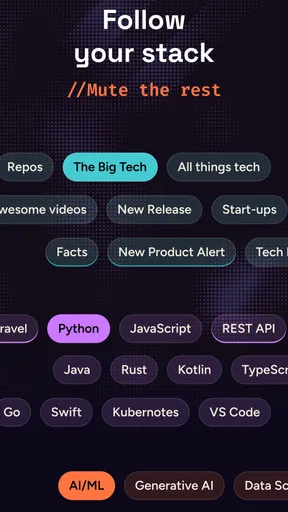
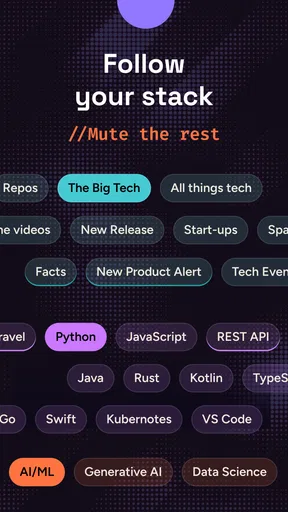
Another thing that stood out to me was the app’s intuitive categorization. Whether you're into AI, blockchain, or the latest JavaScript frameworks, you’ll find everything neatly organized. It's like having a personalized library that fits in your pocket.
Content Quality and Variety
Now, let’s talk content. The app offers a diverse range of topics that cater to different interests and expertise levels. Whether you’re a newbie or a seasoned pro, there’s something for everyone. I was particularly impressed by the depth of the content. Despite being bite-sized, each piece of information is rich and well-researched.
What’s more, the app is constantly updated, ensuring that you’re always in the loop with the latest trends and technologies. This is a huge plus for anyone in the tech industry, where things move at lightning speed.
Offline Access
One of my favorite features is offline access. Let’s face it, we’re not always connected, and having the ability to download content for later is a blessing. Whether you’re on a flight or in a no-service zone, your learning doesn’t have to stop.
Personalization Features
Another feather in its cap is the personalization feature. The app learns from your reading habits and suggests content that’s tailored to your interests. It’s like having a personalized feed that’s specifically curated for you. This makes the learning process even more seamless and engaging.
Community and Interaction
What’s really cool is the community aspect. You can interact with other developers, share insights, and even engage in discussions about the content. This feature adds a social dimension to the app, making learning a more collaborative experience.
Final Thoughts
In a world where time is of the essence, DevBytes stands out as a must-have tool for any developer. It’s designed with the modern developer in mind, offering quick, quality content that fits perfectly into our busy lives. Whether you’re on a coffee break or commuting, it’s the perfect companion to keep you informed and inspired.
So, if you haven’t already, give DevBytes a shot. It’s more than just an app; it’s a lifeline for staying ahead in the ever-evolving world of technology. Trust me, once you start, you’ll wonder how you ever managed without it.
Pros
- User-friendly interface for quick navigation.
- Wide range of coding challenges available.
- Regular updates with new content.
- Offline access to saved articles.
- Integration with popular coding tools.
Cons
- Occasional bugs in the bookmark feature.
- Limited language support beyond English.
- Requires subscription for premium content.
- Some tutorials lack depth for advanced users.
- Notifications can be overwhelming.
FAQs for DevBytes-For Busy Developers
What is DevBytes and how does it benefit developers?
DevBytes is an app designed for busy developers, offering concise and informative content to enhance their skills and knowledge. It provides bite-sized lessons on various programming languages, frameworks, and tools, making it easy for developers to stay updated with the latest trends and technologies without spending hours on long courses.
Is DevBytes suitable for beginners in programming?
While DevBytes primarily caters to developers with some experience, it can be beneficial for beginners as well. The app offers a range of topics from basic to advanced levels, allowing new developers to learn at their own pace and gradually build their skills while understanding industry standards and practices.
How frequently is the content updated on DevBytes?
The content on DevBytes is updated regularly to ensure that developers have access to the latest information and trends in the tech industry. The app's commitment to providing current and relevant material makes it a valuable resource for developers who wish to remain competitive in their careers.
Does DevBytes require an internet connection to access its content?
DevBytes requires an internet connection for initial downloads and updates of its content. However, once the content is downloaded, it can be accessed offline, making it convenient for developers to learn on the go, regardless of their internet connectivity.
Are there any subscription fees or in-app purchases in DevBytes?
DevBytes offers a free version with access to basic content. However, for a more comprehensive learning experience, users may opt for a premium subscription. The premium version includes additional features, exclusive content, and ad-free browsing, providing a more robust educational experience for committed learners.


